shopping for backends
in which we help out the imaginary person in charge of choosing a new dcim system
say you’re picking a dcim system to keep track of your business’s inventory. to get a feel for a candidate, you want it filled with a lot of stuff, preferably with realistic configurations. adding each thing by hand through a web interface is slow, and you’d have to do it again for every system you try. a better approach is one backend-agnostic spec that a tool loads into each candidate, ideally starting from a spec someone has already written and that you can change as you like.
alembic can do this. this post shows how.
the inventory
to begin, you need a specification of what things to create in the system, stored in an inventory file. there are many options for how to obtain such a file:
- you could define it yourself, using a backend-agnostic schema. see
ir
docs on how to do this. this will teach you the most about how the
file format and alembic ir work. if you are ever tempted to use a coding
agent for writing the file, there’s a
SKILL.mdin thealembic-clicrate that will help out. install it locally with
$ alembic skill install alembicif you already have a system running with your own data, importing that one could make more sense. a benefit with this approach is that you would immediately see if there’s something that the new backend can’t represent in a good way.
you could just take one of the example files from the
alembicrepo, e.g. /examples/inventory.yaml. this is definitely the quickest way! those files are quite small though, and not particularly representative of what a messy real world system would look like.for flexibility and stress testing, you could use the
alembic-file-generatorwhich is included in the alembic repo (install it withcargo install --path ./crates/alembic-file-generator). this gives you the ability to define exactly how many objects your inventory should include:
$ alembic-file-generator --kind=inventory --num-devices=1000 --output inventory.yamlin any case, make sure that you have some kind of inventory file
(named inventory.yaml) at hand before we move on!
trying out a backend (netbox)
let’s say that you want to start by trying out netbox. this is an
especially good first target if you used the file generator or
examples/inventory.yaml, since it requires no extra work to
set up. point alembic at your netbox instance with the
NETBOX_URL and NETBOX_TOKEN environment
variables, then make a plan and apply it like so:
$ alembic plan --backend netbox --file inventory.yaml --output plan.jsonthe cli tool will display a list of all the planned changes. if it looks good, apply those changes:
$ alembic apply --backend netbox --plan plan.jsoninspecting your local netbox inventory through the web interface you can check to see that things are in order, e.g.:
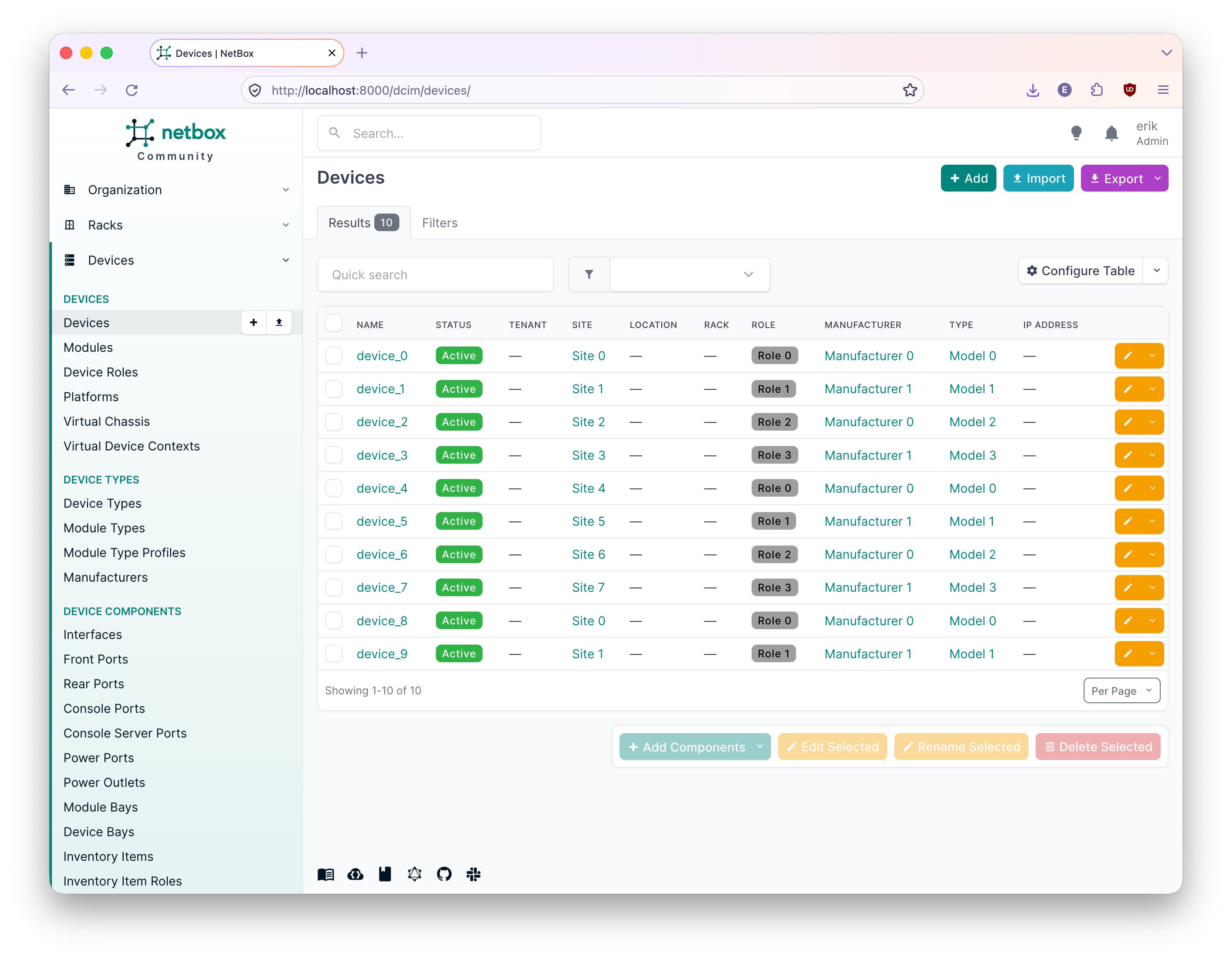
massaging the data
depending on how your inventory.yaml file was
constructed, it might have its data in a slightly incompatible format.
this is no reason for panic, and something that alembic will handle with
no trouble!
for example, if you’re using
./examples/walkthroughs/eval-fabric.yaml from the alembic
repo, there’s a small discrepancy in how netbox handles ip addresses
compared to how they are stored in that schema. the interface assigned
to an ip is stored under the key assigned_object rather
than assigned_interface. to solve this, use
alembic map to transform the data. here’s the relevant
snippet from
./examples/walkthroughs/eval-fabric-netbox.yaml:
rules:
  - name: rename-assignment
    match: ipam.ip_address
    emit:
      type: ipam.ip_address
      key: {address: "${key.address}"}
      attrs:
        address: "${attrs.address}"
        assigned_object: "${attrs.assigned_interface}"
  - name: rest
    match: "*"
    emit: passthrough
in short, this transforms all objects of type
ipam.ip_address and leaves anything else as-is.
use this to generate a new file with ir that has the correct keys for netbox:
$ alembic map --file ./examples/walkthroughs/eval-fabric.yaml --spec ./examples/walkthroughs/eval-fabric-netbox.yaml --output inventory.yamlthe new file can be planned and applied just like the
inventory.yaml file generated by alembic-file-generator
above!
other backends (nautobot)
using alembic map becomes even more important when you
want to try out other backends with their own choices of how to store
information and name things. for example, if you want to use the
eval-fabric inventory from before in nautobot, dcim.site is
instead called dcim.location. this kind of difference is
expressed with a rule like this:
  - name: sites-to-locations
    match: dcim.site
    uids:
      location_type: {v5: {type: dcim.locationtype, stable: site}}
      active: {v5: {type: extras.status, stable: Active}}
    emit:
      type: dcim.location
      key: {name: "${attrs.name}"}
      attrs:
        name: "${attrs.name}"
        location_type: "${uids.location_type}"
        status: "${uids.active}"
also notice how the attributes are carried over and a new key is calculated (for nautobot it is based on the human-readable name rather than the slug as in netbox).
a complete nautobot transformation script can be found in
./examples/walkthroughs/eval-fabric-nautobot.yaml. just
like with netbox, you can use it to generate a new inventory from the
original eval-fabric.yaml (not the netbox-mapped
inventory.yaml, which no longer has the
assigned_interface key that the nautobot rules expect):
$ alembic map --file ./examples/walkthroughs/eval-fabric.yaml --spec ./examples/walkthroughs/eval-fabric-nautobot.yaml --output nautobot-inventory.yamlto finish up, set NAUTOBOT_URL and
NAUTOBOT_TOKEN, then run plan and
apply with --backend nautobot. here’s the
final result in nautobot’s web interface:
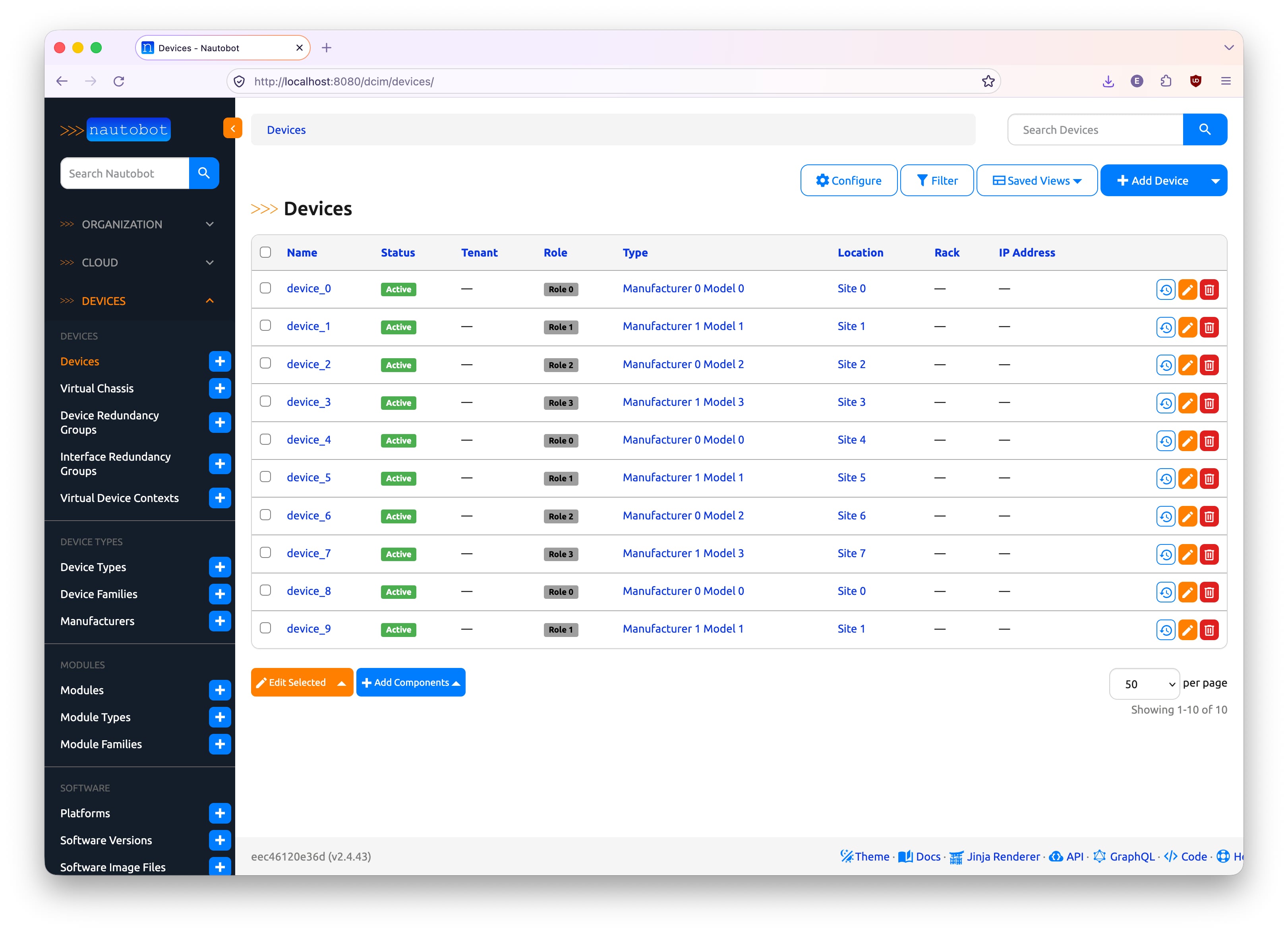
conclusions
we hope that this article has shown you how alembic can make it easier to try out different dcim systems in a safe and easy manner. by working with a unified data representation in the form of alembic ir, and transformations of said data, the relationships between various backends become explicit and trackable.
if you do try this approach out, let us know how it goes!